


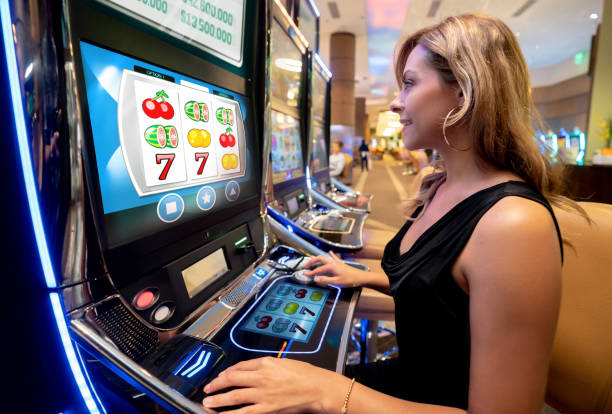
sofabet background
Indonesia · sofabet

sofabet – Indonesia Online Casino with One Clear Account Path

sofabet puts Live Blackjack Gold, Barong Dance Megaways and Football Score Chase behind one account, with DANA and QRIS visible from the Home page.

DANAOVOGoPayQRIS
21+ SSL

Access is available only where local law permits.

BROWSE GAME ROOMS

Browse Casino and Slots from Home

Casino and slots open through separate Home page routes, helping you move directly to the format you want.

sofabet lobby snapshot
INSIDE OUR LOBBY

Explore the sofabet Lobby View

Casino rooms appear first, followed by live tables, slot search, fishing games and sportsbook access through one clear Home screen.

SlotsLive CasinoTable GamesFishingSportsbook
STUDIOS IN OUR LOBBY

Explore Studios Available Through sofabet

Pragmatic Play, PG Soft and Habanero sit alongside other recognised studios, giving your Home page clear routes into slots, tables and mobile game rooms.

Pragmatic Play
PG Soft
Habanero
CQ9
Joker
Spadegaming
JDB

Check DANA and QRIS Wallet Rails

DANA, OVO, GoPay and QRIS appear together in the Home page cashier path, so you can identify the correct local rail before entering a transfer request.

DANA

OVO

GoPay

QRIS

Virtual Account

Bank Transfer

BCA

BRI

Mandiri

BNI

EXPLORE KEY AREAS

Explore Durable Home Page Areas

The Home page points you toward areas that remain useful after your first account visit. Account access explains phone verification, the cashier displays wallet and bank status, and the lobby separates casino…

sofabet Account access
ACCOUNT

Account access

Check the required account fields and phone verification sequence before entering the lobby.

sofabet Wallet status
CASHIER

Wallet status

Open the cashier area to inspect DANA, OVO, GoPay and QRIS status.

sofabet Casino categories
CASINO

Casino categories

Move from Home into slots, live baccarat, roulette, Dragon Tiger or blackjack.

sofabet Sportsbook markets
SPORTS

Sportsbook markets

Football, badminton and basketball have distinct market paths from the Home page.

START HERE FIRST

Open Your Account Path Clearly

Your first Home page check should cover account access, available lobby areas and the verification step.

Start your account Open the account path from Home, enter the requested details…
Check account basics Use one account for casino rooms, sportsbook markets and local…
See what is available The Home page connects slots, live baccarat, roulette, Dragon Tiger…
Keep access protected Phone verification comes before account access, and we separate account…
REACH OUR TEAM

Get Help Beside the Cashier

Support begins close to the account and cashier paths where most status questions occur.

Live chat Use live chat for an active account path, lobby navigation or wallet status that…
Email Email works for receipt and transaction-reference checks involving DANA, OVO, GoPay, QRIS or bank…
Mobile help Open mobile help when a button, category tab or account control is difficult to…
MOVE ACROSS SCREENS

Switch from Phone to Tablet Easily

One mobile web path takes you from account access to the Home lobby, casino rooms and cashier without requiring a separate application.

sofabet mobile gaming
Mobile Web Access
Tablet Layout
QRIS Cashier Path
Slot Search
Live Table Tabs
Sportsbook Markets
PROTECT YOUR ACCESS

Protect Your Account on Every Device

Account protection starts before the lobby opens. We require clear phone verification, separate wallet actions from profile details and display status changes within the relevant account area.

Phone verification A phone check occurs before account access.
Separated account controls Profile details, wallet status and game records use distinct account…
Shared-device care Use the session exit control after viewing your account on…
Recorded game activity Round results and sports entries remain available in their relevant…
VERIFY BEFORE CONTINUING

Check Policies Before Account Access

Clear Home page links let you inspect account terms, access conditions, contact routes and game-category details before you continue.

Readable account terms

Account conditions are linked from Home and the account area. We separate verification requirements, access rules and cashier conditions so…

Direct contact routes

Live chat, email and mobile help are named within the support area.

Visible policy access

Policy links remain available through the Home footer and account controls.

Category detail pages

Casino, slot, live-table and sports areas explain their own round or market structure.

Choose One Home Instead of Scattered Searches

A single brand Home reduces the need to search separate pages for account access, casino categories, sports markets and wallet status.

One account routeHome provides a named path for account creation, phone verification and later account access. Scattered search results may open unrelated pages without showing where the required verification sequence begins.
One lobby mapCasino, slots, live tables and sportsbook routes share the same Home navigation. You can move between categories without rebuilding your route from separate search pages or unconnected bookmarks.
One cashier locationDANA, OVO, GoPay, QRIS, virtual account and bank transfer status sit in one cashier area. This gives you a consistent place to inspect a request or find its reference.
One support panelLive chat, email and mobile help remain connected to the account and cashier paths. You can choose a channel based on the issue rather than searching externally for an uncertain contact.
One policy routeHome footer links lead to account and access policies connected with the actions shown on the page. Eligibility wording states that availability depends on local law where relevant.
One mobile pathPhones and tablets use the same browser route from account access to casino, sports and wallet status. No separate application is required to reach the Home lobby or support panel.
CHECK ROUND DETAILS

Browse Category Rules and Round Details

Game-category transparency begins with the route you select from Home. Slot pages show title-specific rules and feature behaviour, live-table pages identify the table format, and sports pages display market conditions before selection.

01

Slots

Inspect each title panel for its stated return figure, feature rules and paytable before starting a round.

02

Live tables

Check table rules, stake fields and result history for baccarat, roulette, Dragon Tiger and blackjack.

03

Crash rounds

Read the event sequence and displayed result record for Crash Countdown Round before choosing an action.

04

Fishing rooms

Open the game rules for Fishing War Mobile Play to understand controls, values and round behaviour.

05

Sports markets

Market terms appear with football, badminton and basketball selections before your entry is confirmed.

HOME AT A GLANCE

Check the Home Page Structure

4
Local wallet chips
3
Main lobby routes
6
Named catalogue titles
3
Support paths
CHECK INDONESIA ACCESS

Check Access Across Indonesia

Our Home page is arranged for Indonesia access, including local wallet names, Indonesian bank routes and mobile browser navigation. You can reach the same lobby structure from Bandung, Medan or another supported area, although availability depends on local law. Location does not change the phone-verification sequence or the placement of DANA, OVO, GoPay and QRIS in the cashier. If a category or account action is unavailable, check the displayed access message and contact support through the channel shown beside the relevant path.

Denpasar, Indonesia
SEE HOME ESSENTIALS

Discover Six sofabet Home Essentials

Six visible elements define what you can do from Home before opening a game or market.

Clear account entry The account route distinguishes creation, phone verification and later access.
Casino category tabs Slots, live baccarat, roulette, Dragon Tiger, blackjack and fishing rooms…
Sportsbook route Football, badminton and basketball markets sit behind a separate sports…
Local wallet row DANA, OVO, GoPay and QRIS appear together, followed by virtual…
Mobile slot search Slot search remains available on phone and tablet layouts.
Cashier-side support The support panel sits near wallet status and account help.

FAQ

These answers cover the practical questions you may have after landing on the sofabet Home page: what appears in the lobby, how account access begins, which Indonesia payment rails are named, how mobile navigation behaves and where support sits. They also explain local access wording and the difference between wallet status and account verification. Use the answer matching your task, then follow the named Home route rather than opening an unrelated link. Account credentials and phone codes should never be shared through chat or email.

The sofabet Home page connects account access, slots, live baccarat, roulette, Dragon Tiger, blackjack, fishing rooms and sports markets for football, badminton and basketball. It also links the cashier, policy area and three support routes.

Start with the account path shown on Home, provide the requested details and complete phone verification before account access. We display confirmation when that step finishes, after which you can enter the lobby and inspect available categories.

The local wallet row names DANA, OVO, GoPay and QRIS. The cashier also provides virtual account and bank transfer routes for BCA, BRI, Mandiri and BNI, with a visible status for submitted requests.

Yes, the mobile web path connects account access, the Home lobby, slot search, live tables, sports and wallet status without requiring a separate application. The same route adapts to phones and tablets.

Support appears near the account and cashier routes. Use live chat for active navigation or status questions, email for receipts and transaction references, and mobile help when controls are difficult to locate on a smaller screen.

The Home structure supports Indonesia-focused wallet names, bank routes and mobile navigation. Availability depends on local law, and a displayed access message may limit a category or account action in a particular location.

Open the cashier from Home and inspect the request status and transaction reference. Identity or receipt checks may be required before processing. If the status does not change, contact support without sharing your password or phone-verification code.
FOLLOW THE HOME PATH

Browse the Home Page in Order

Begin with the account panel, confirm the phone-verification requirement and then inspect the lobby categories.

Check your account path

Identify whether you are creating an account, completing phone verification or returning to an existing account. Follow only the prompt matching your current stage before moving into the lobby.

Choose a lobby category

Use the casino, slots, live-table or sportsbook tab from Home. Named categories keep game rounds and sports markets separate while maintaining the same account and support routes.

Inspect wallet status

Open the cashier to select a supported local rail or check an existing request. Confirm the payment name, visible status and transaction reference before contacting us about a delay.

Use the matching help route

Choose live chat for active navigation, email for receipts and references, or mobile help for screen-layout questions. Never include a password or verification code in a support message.